SPF, DKIM and DMARC
E-mail remains the most widely attacked service on the internet. Phishing and spam use spoofed sender addresses to steal credentials or money. So that receiving mail servers can verify whether an e-mail really comes from the domain it claims, there are three established standards: SPF, DKIM and DMARC.
What is SPF?
SPF (Sender Policy Framework) is a DNS-based mechanism that lets the owner of a domain define which servers (IP addresses or hostnames) are allowed to send e-mail on behalf of that domain.
An SPF record lives as a TXT record directly in the DNS zone:
example.org. IN TXT "v=spf1 mx a include:_spf.provider.net -all"
v=spf1– record versionmx/a– the servers behind the MX and A records may sendinclude:– include third-party infrastructure (e.g. a newsletter provider)-all– everything else is rejected (hard fail), alternatively~all(soft fail)
Important: There is only one SPF record per domain, and it may contain a maximum of 10 DNS lookups.
How SPF works in detail
The receiving mail server compares the IP address of the sending server against the policy in the record. Each mechanism (a, mx, ip4:, ip6:, include: …) yields a match/no-match, and the qualifier decides what follows from it:
+(Pass) – sender is authorized (default when no qualifier is set)-(Hard Fail) – sender is explicitly not authorized → rejection~(Soft Fail) – suspicious but tolerated → typically flagged as spam?(Neutral) – no statement
In practice, ~all has proven useful during the rollout phase; for production domains with a well-documented sending infrastructure, -all is the goal.
The 10-lookup limit is the most common pitfall: include:, a, mx, ptr, exists and redirect= each count as one DNS query. Nested include:s of your provider count as well. Once the limit is exceeded, evaluation returns permerror – and many receivers treat that like a fail. The remedy is trimming the record down to services actually in use, or “flattening” (resolving includes into IP lists) – though the latter means manual maintenance whenever provider IPs change.
Common mistakes seen in the wild:
- two SPF TXT records in one zone → instant
permerror - forgotten
include:s after switching providers → legitimate mail fails - SPF only protects the envelope sender (RFC 5321.MailFrom), not the visible
From:header – closing this gap is exactly what DMARC is for
What is DKIM?
DKIM (DomainKeys Identified Mail) cryptographically signs every outgoing e-mail. The sending server places a signature in the mail header; the recipient fetches the matching public key from DNS and verifies that the mail was not modified in transit.
The public key is published as a TXT record under a so-called selector:
selector._domainkey.example.org. IN TXT "v=DKIM1; k=rsa; p=MIIBIjANBg..."
The private key and selector are generated and configured in your own mail system (e.g. Postfix with OpenDKIM, Rspamd or Exchange).
Selectors, key sizes and key rotation
The selector is a freely chosen name via which the recipient finds the matching public key (selector1._domainkey.example.org). Multiple selectors can coexist – e.g. separate keys for newsletters and transactional mail, or rotating keys without interrupting mail flow: publish the new selector, switch over, retire the old one after a transition period.
On key choice:
- RSA 2048 bit is today’s sensible standard; 1024 bit is considered outdated
- Ed25519 is leaner and faster but not supported by every receiver – when in doubt, use RSA
- The TXT record must not exceed 255 characters per string including quotes; long RSA keys are therefore split across multiple strings (most DNS interfaces handle this automatically)
A practical side effect of DKIM: the signature survives forwarding, whereas SPF fails at the forwarding server. This is why DMARC should be configured so that DKIM alignment alone suffices to consider a message legitimate.
What is DMARC?
DMARC (Domain-based Message Authentication, Reporting and Conformance) ties SPF and DKIM together and adds two things:
- a policy defining what should happen to unauthenticated mail
- a reporting channel via which receiving mail servers deliver reports back to the domain owner
A typical DMARC record:
_dmarc.example.org. IN TXT "v=DMARC1; p=none; rua=mailto:dmarc@example.org; pct=100; adkim=r; aspf=r"
The most important fields:
p=none– monitor only (quarantine= spam folder,reject= refuse)rua=– mailbox where the aggregate reports (XML) arriveadkim/aspf– alignment mode (relaxed or strict)pct– percentage of messages the policy applies to
Alignment – the core of DMARC
A single SPF or DKIM pass is not enough for DMARC: what matters is alignment, i.e. whether the authenticated domain matches the visible From: header. In relaxed mode (adkim=r / aspf=r, the default), agreement of the organizational domain suffices – a mail with From: newsletter@example.org, sent via bounce.provider.net with SPF on provider.net, does not align. A correct example: DKIM signature from example.org and From: @example.org → alignment present. In strict mode (s) the domain must match exactly, which is often unattainable when using external service providers.
Additional relevant points:
sp=– a separate policy for subdomains, if these should be stricter or more lenient than the main domainrua=delivers aggregate reports (summaries),ruf=the detailed failure reports – many large providers do not support the latter at all, or only partially, for privacy reasons- If
rua=points to an external domain, the receiver requires a verification record there (example.org._report._dmarc.…) to prevent report abuse
Reports are delivered as XML attachments by e-mail – with several large providers this quickly adds up to dozens of mails per day. This is exactly where a DMARC analyzer comes in.
Why self-host at all?
Commercial DMARC platforms usually bill per domain and per message volume – expensive if you manage many domains. DmarcAnalyzer (GitHub) is a free alternative (Apache-2.0):

- Self-hosted, unlimited domains, no per-domain costs
- Automatic polling of the report mailbox, parsing and evaluation of the XML reports
- Detection of spoofing and unauthenticated senders
- Guided path from
p=nonetop=reject - Multi-tenant capable (clients), OIDC single sign-on available
Installation with Docker Compose
Prerequisites
For the next steps we assume a Linux system with a current Docker installation – just like in our Vaultwarden article, with Traefik as reverse proxy managing Let’s Encrypt certificates automatically.
DmarcAnalyzer consists of an app container (ASP.NET Core + React, console and report ingestion in one process) and a PostgreSQL database.
DNS preparation
First the domain needs a DMARC record whose rua= points to a mailbox the analyzer can poll later:
_dmarc.example.org. IN TXT "v=DMARC1; p=none; rua=mailto:dmarc-reports@example.org"
In addition, the desired hostname (dmarc.example.org in this example) must have an A/AAAA record pointing to the server so Traefik can obtain the certificate.
Docker compose for DmarcAnalyzer with traefik for https
In this example we run DmarcAnalyzer behind a reverse proxy named Traefik that manages letsencrypt certificates automatically. The setup mirrors our Vaultwarden stack.
docker-compose.yaml:
services:
  traefik:
    container_name: traefik
    image: traefik:latest
    ports:
      - 80:8080
      - 443:8443
    volumes:
      - /var/run/docker.sock:/var/run/docker.sock:ro
      - ./traefik-data:/letsencrypt
    networks:
      - default
    command:
      - --entrypoints.web.address=:8080
      - --entrypoints.websecure.address=:8443
      - --providers.docker
      - --log.level=ERROR
      - --certificatesresolvers.leresolver.acme.httpchallenge=true
      - --certificatesresolvers.leresolver.acme.email=info@example.org
      - --certificatesresolvers.leresolver.acme.storage=/letsencrypt/acme.json
      - --certificatesresolvers.leresolver.acme.httpchallenge.entrypoint=web
    labels:
      - "traefik.http.routers.http-catchall.rule=hostregexp(`.+`)"
      - "traefik.http.routers.http-catchall.entrypoints=web"
      - "traefik.http.routers.http-catchall.middlewares=redirect-to-https"
      - "traefik.http.middlewares.redirect-to-https.redirectscheme.scheme=https"
    restart: always
  dmarc-analyzer:
    container_name: dmarc-analyzer
    image: ghcr.io/dmarc-analyzer-net/dmarc-analyzer:latest
    restart: unless-stopped
    networks:
      - default
    depends_on:
      postgres:
        condition: service_healthy
    environment:
      # Console and report ingestion in one process
      APP_MODE=all
      ConnectionStrings__Default=Host=postgres;Port=5432;Database=dmarc_analyzer;Username=dmarc;Password=${POSTGRES_PASSWORD}
      Database__MigrateOnStartup=true
      # Encrypts the report mailbox credentials at rest,
      # see .env file below
      Security__CredentialEncryptionKey=${DMARC_ENCRYPTION_KEY}
    healthcheck:
      test: ["CMD-SHELL", "curl -fsS http://localhost:8080/api/v1/auth/setup > /dev/null"]
      interval: 10s
      timeout: 5s
      retries: 20
      start_period: 150s
    labels:
      - "traefik.enable=true"
      - "traefik.http.routers.dmarc.rule=Host(`dmarc.example.org`)"
      - "traefik.http.routers.dmarc.entrypoints=websecure"
      - "traefik.http.routers.dmarc.tls=true"
      - "traefik.http.routers.dmarc.tls.certresolver=leresolver"
      - "traefik.http.routers.dmarc.service=dmarc"
      - "traefik.http.services.dmarc.loadbalancer.server.port=8080"
  postgres:
    container_name: dmarc-postgres
    image: postgres:18-alpine
    restart: unless-stopped
    networks:
      - default
    environment:
      POSTGRES_DB=dmarc_analyzer
      POSTGRES_USER=dmarc
      POSTGRES_PASSWORD=${POSTGRES_PASSWORD}
      PGDATA=/var/lib/postgresql/data
    volumes:
      - ./dmarc-pgdata:/var/lib/postgresql/data
networks:
  default:
    internal: false
    enable_ipv6: true
    ipam:
      driver: default
      config:
        - subnet: fd00:1::/64
          gateway: fd00:1::1
Notes on the setup:
- Ports 8080/5432 are deliberately not published anymore – access runs exclusively through Traefik.
- The internal port of the console is
8080, which is why the load balancer label points there. - The healthcheck has a generous
start_periodbecause database migrations run on first start.
Encryption key and passwords
Next to the docker-compose.yaml an .env file is required. The key encrypts the mailbox credentials stored in the database (AES-256-GCM). Keep it safe – if it is lost, all configured mailbox credentials have to be entered again:
user@bar:~$ echo "DMARC_ENCRYPTION_KEY=$(openssl rand -base64 32)" >> .env
user@bar:~$ echo "POSTGRES_PASSWORD=$(openssl rand -base64 24)" >> .env
Starting DmarcAnalyzer
First, we create a user and appropriate directories:
root@bar:~# adduser -g docker dmarc
root@bar:~# su - dmarc
dmarc@bar:~$ mkdir traefik-data
dmarc@bar:~$ mkdir dmarc-pgdata
dmarc@bar:~$
Now place the above docker-compose.yaml under /home/dmarc/docker-compose.yaml, along with the .env file in the same directory.
Both files should be adjusted according to local conditions (hostnames, ACME e-mail, passwords).
Now you can download the containers and start the application:
dmarc@bar:~$ docker compose pull
dmarc@bar:~$ docker compose up -d
dmarc@bar:~$
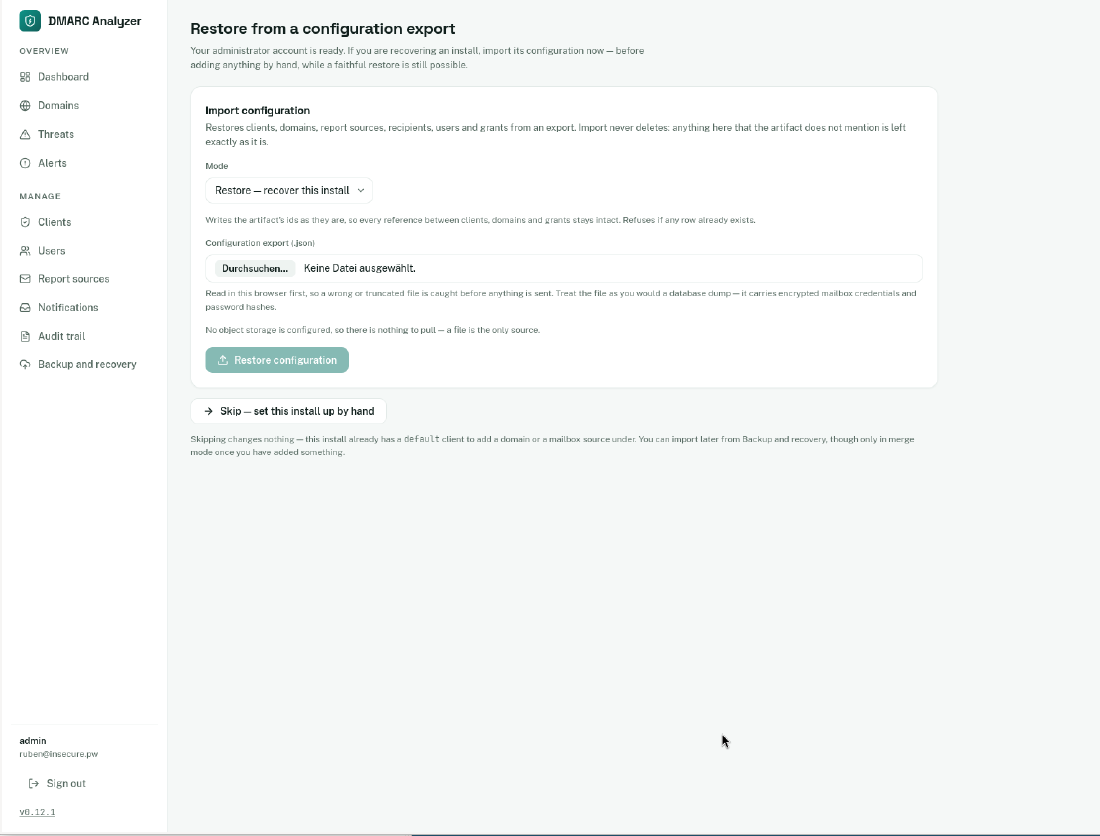
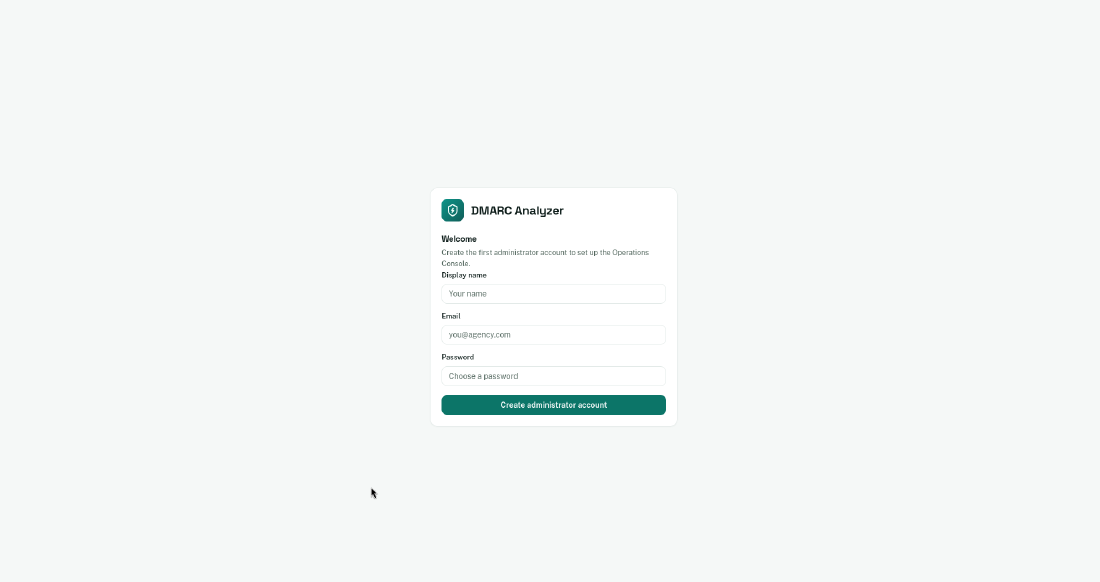
After Traefik has fetched the certificate, the console is available at the configured URL. On first visit you create the admin account – registration is locked afterwards.
Configuring the analyzer
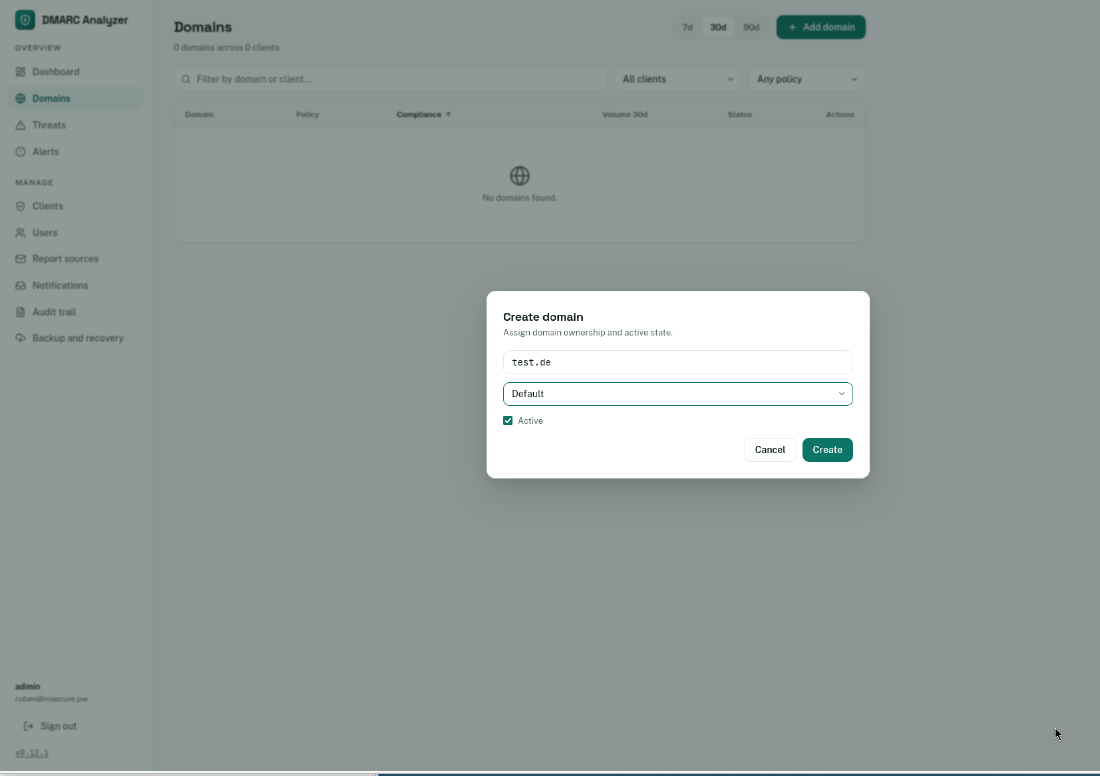
Then set up the following in the web interface:
- create a client (tenant)
- add the domain you want to monitor
- connect the report source, i.e. the mailbox where the
rua=reports arrive (e.g.dmarc-reports@example.org)
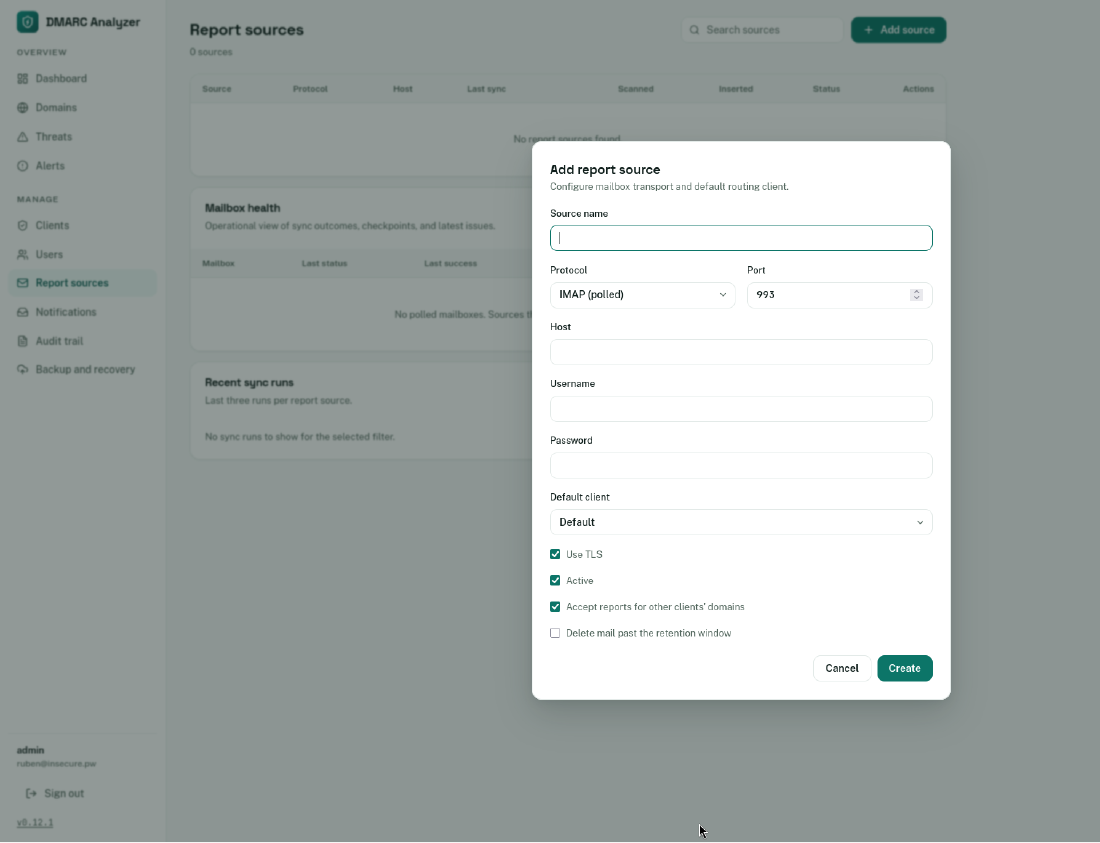
From then on a background process polls the mailbox regularly, unpacks the XML reports and evaluates SPF/DKIM alignment per sending source.
Once the first reports have arrived, you can see per domain which sources send legitimately and where things break. Only once all legitimate sources authenticate cleanly should the policy be tightened step by step:
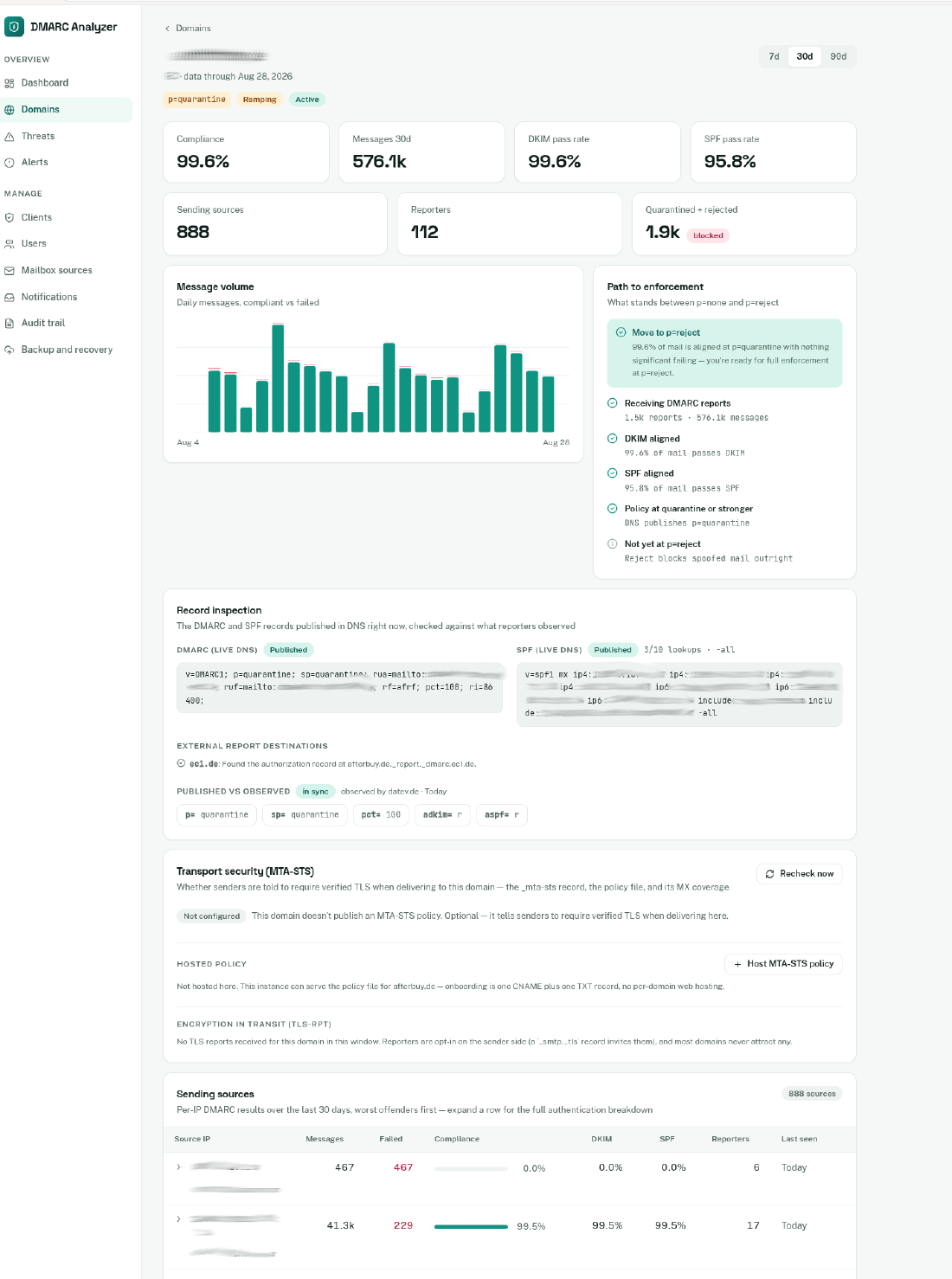
p=none → p=quarantine → p=reject
With pct= the tightening can additionally be rolled out gradually.
Optional: OIDC login (single sign-on)
DmarcAnalyzer can authenticate users against any OpenID Connect provider – the project documentation includes guides for Zitadel, Keycloak, Authentik, Google and Microsoft Entra ID. Important to know: OIDC only replaces the login, not authorization. Roles and client assignments remain inside the application; an SSO session is internally identical to a password session.
The feature is enabled via environment variables, with the callback living under /api/v1/auth/oidc/callback:
environment:
  Auth__Oidc__Enabled=true
  Auth__Oidc__Authority=https://id.example.org
  Auth__Oidc__ClientId=dmarc-analyzer
  Auth__Oidc__DisplayName=Example ID
  Auth__Oidc__AutoProvision=false
Once Auth__Oidc__Enabled is active, the login page additionally shows a “Sign in with …” button. With AutoProvision=false (the recommended production setting), an administrator creates users in advance without a password; on first SSO login the account is then linked via its verified email address.
Conclusion
SPF, DKIM and DMARC are mandatory today for every domain that sends e-mail. With DmarcAnalyzer you get free, self-hosted monitoring without per-domain licensing fees, keeping your data away from cloud services. Combined with Docker and Traefik, operating it is as easy as our other self-hosting stacks.
If you have any questions about SPF, DKIM and DMARC in your IT environment or need support, please contact us.
